Your ERP. Now intelligent.
Ask questions, get proactive alerts, and automate repetitive tasks - directly from your existing ERP setup. No extra tools to learn.
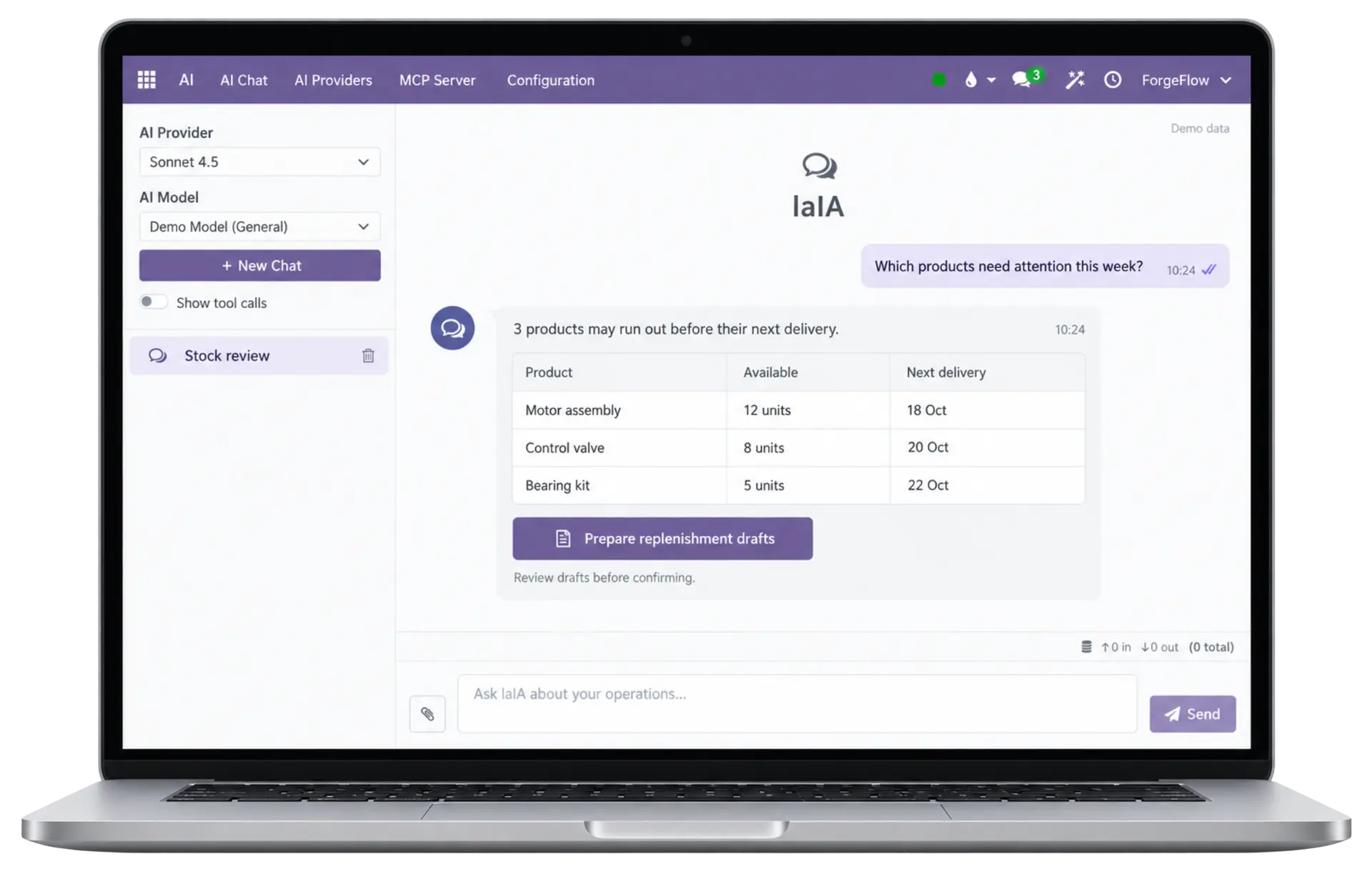
You had 3 stock-outs this month across 2 warehouses. 2 products are at risk in the next 7 days based on current demand - want me to create the reorder orders now?
Connecting a generic AI to your business's real data opens three questions.
Without answering them, the project never gets past proof of concept — which is exactly where most get stuck.
Whose permissions?
Connecting a generic assistant forces a choice between read-only — which is barely useful — or full access, which no systems lead will sign off on.What can it touch without asking?
Without explicit limits, every action depends on the model "behaving well." That's not a guarantee — it's a hope.
Who audits what it did?
If something changes and nobody knows who or why, it doesn't matter how useful it is — nobody in security or compliance will approve it.
Which AI do I use?
Your AI. Your choice.
With ForgeFlow, you decide how to use AI in your ERP. Choose what you want it to do, and select and manage your own AI provider.
ForgeFlow AI was built by answering these three questions first — not afterward.
A distributor's day, with it running in the background.
Three moments that repeat every week in a manufacturing or distribution business — each one handled a little differently once the agent is watching.
6:58 AM · before the warehouse opens
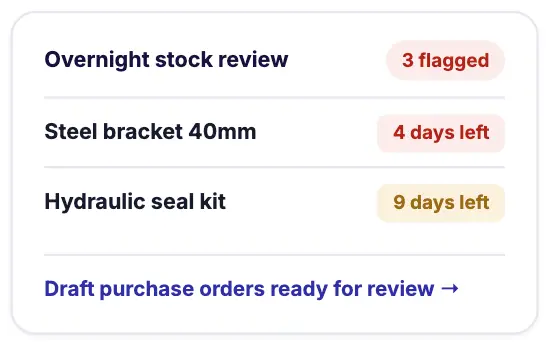
Inventory risk, found overnight
A nightly review checks demand forecasts against stock and open purchase orders. The at-risk list — and the reason for each one — is waiting when you log in.
11:40 AM · customer on the phone
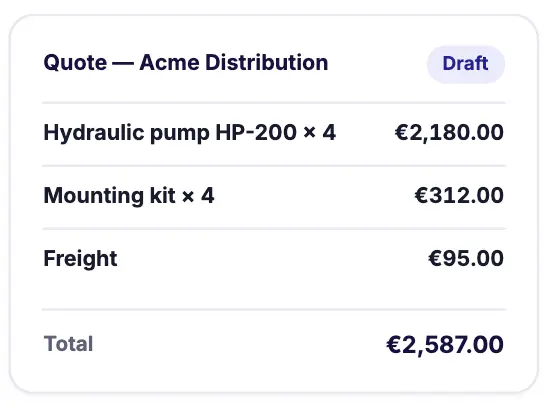
A quote drafted while you're still talking
Describe what the customer needs. The agent finds the contact and products, and builds the quote — rates and taxes applied — left in draft for you to send.
Month-end · closing week
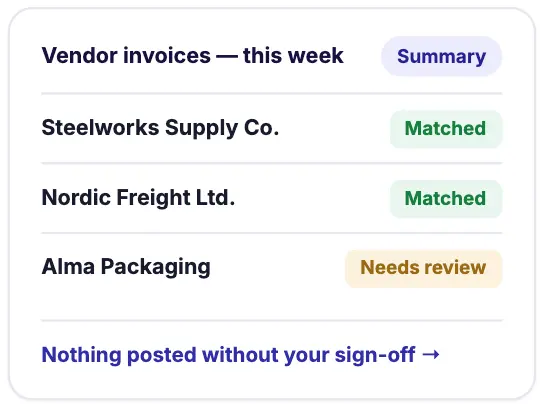
Reconciliation, mostly done for you
Vendor invoices get checked against what's expected. Matches close themselves out; anything that doesn't line up is flagged — nothing posts until you say so.
Ask it what you'd ask your operations manager.
No new dashboards to learn. It answers in plain language, with real data, instantly.
Ask in plain language
Query inventory, production, or sales data without reports or SQL.
Proactive alerts
Know about stock-outs, delays, or anomalies before they affect operations.
Automate routine tasks
Reorders, follow-ups, and scheduling handled automatically in your ERP.
Instant operational insights
AI summaries and recommendations from your real data, every day.
Saved skills
Capture recurring workflows as reusable skills — from a daily stock check to a monthly closing routine. Run them in one step, every time.
Controlled access, by design
- The agent only sees and acts within each user's existing Odoo permissions - it can never exceed them.
- ForgeFlow defines exactly which data the agent can access and how - read-only, suggest, or write - per model and per client. No record is touched beyond what was explicitly configured.
- Your data is never used to train AI models, and each client session is fully isolated. No context is shared between users or organizations.
Security by intersection
The agent never sees or does more than you can.
Confirmation it can't skip
Anything sensitive waits for your click. The tool to self-confirm simply doesn't exist.
Can't loosen its own leash
It can't modify what grants its own access, or assign itself more permissions.
Human approval isn't a convention the model follows. It's structural.
Every permission the agent has is a subset of yours, never the other way around. Whatever isn't explicitly allowed stays pending your approval — no exceptions, no matter who's operating the agent.
It's the same security you already have configured in Odoo — reused, not reinvented.
"Everything the AI does in your business leaves a trace: what it did, on which record, what the value was before, what it is now, from where, and on whose behalf. A trace that nobody — not even the agent itself — can alter."
This isn't a chat layer bolted onto a generic model.
Three concrete engineering decisions explain why this works with real data — not just in a demo.
Real form engine
The agent doesn't write straight to the database: it opens the ERP form, triggers the business logic (onchange), respects required and read-only fields, clicks buttons, and saves — exactly like a person would in the browser.
Native MCP server
It implements the Model Context Protocol — Anthropic's open standard — inside ERP itself, not through a middleware gateway. Claude, Cursor, or Copilot connect under the same rules as the internal chat.
Context economy
An ERP installation can have over a thousand models. The agent declares its task and receives only the relevant schema, following the context engineering Anthropic recommends.
Built by the people who know your ERP better than anyone.
AI built by ERP experts, used daily by our team, and designed to work with your existing permissions and processes.
Contact us Start now your trial